MacCopilot
Discover MacCopilot, dedicated copilot AI for macOS. Select any area of your screen and chat with AI using your own OpenAI, ClaudeAI, Google Gemini, Ollama, or compatible model.
Experience AI Assistance Like Never Before
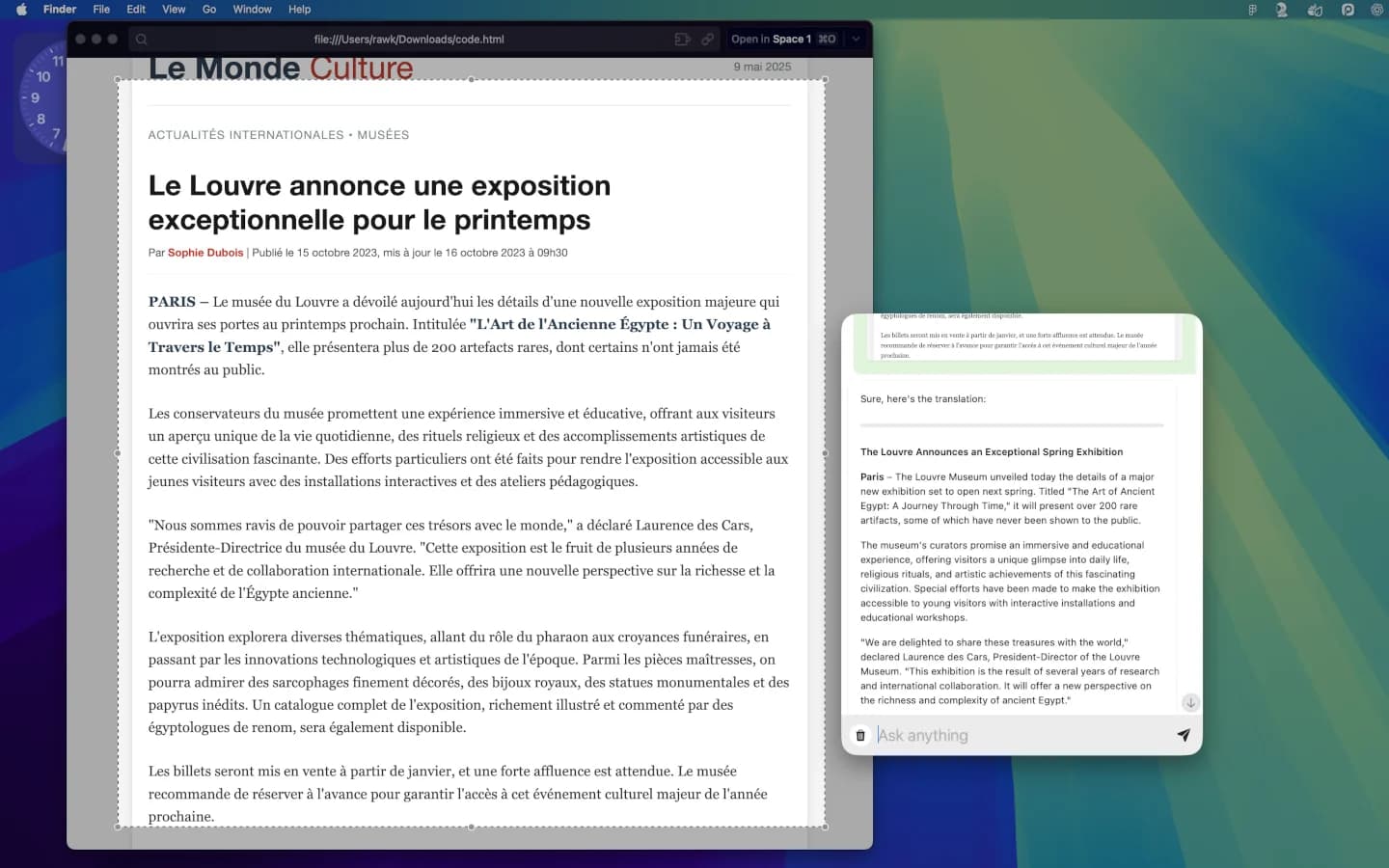
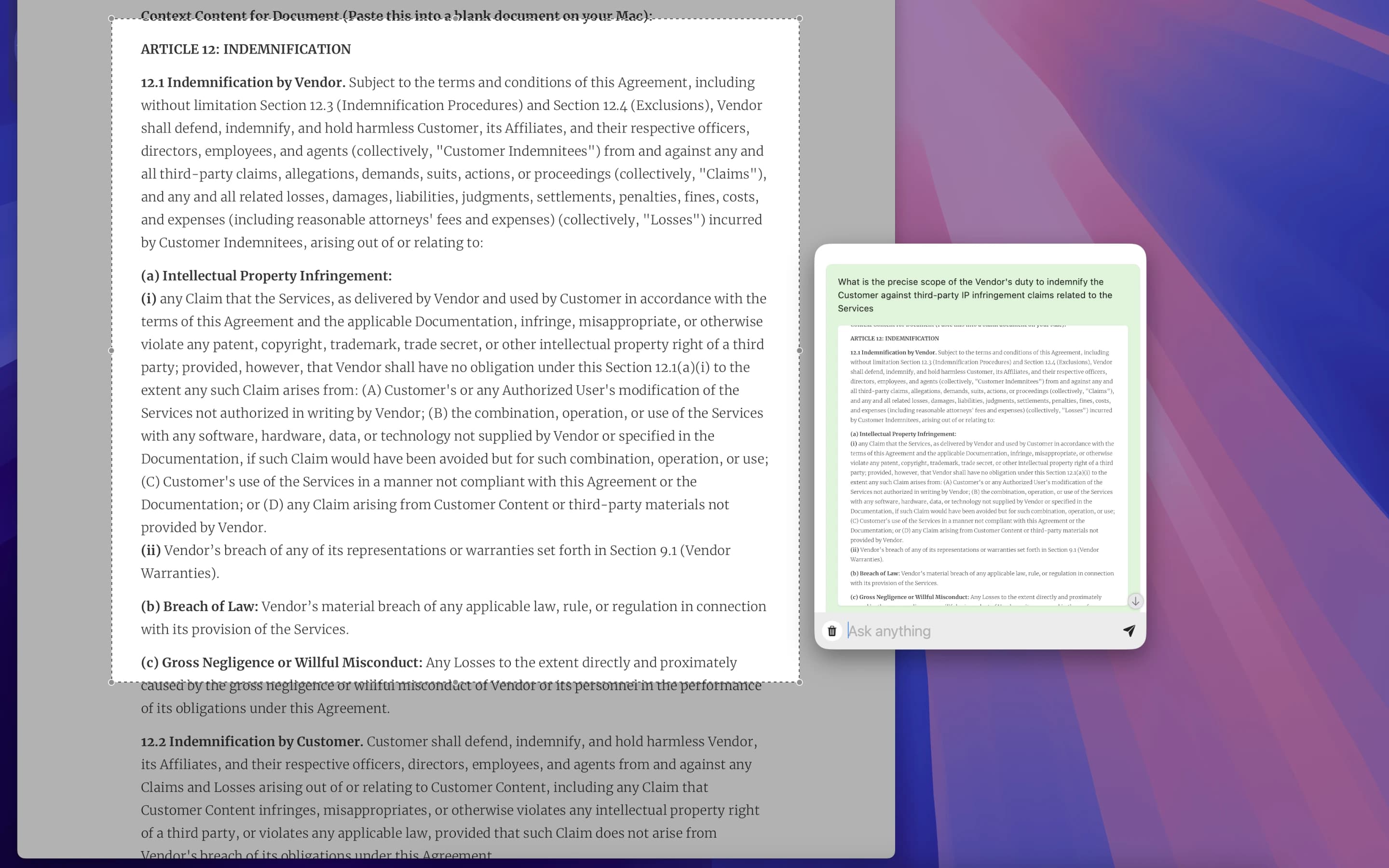
Get instant AI help with anything on your screen - code, emails, designs, charts and more
Instant Visual Analysis
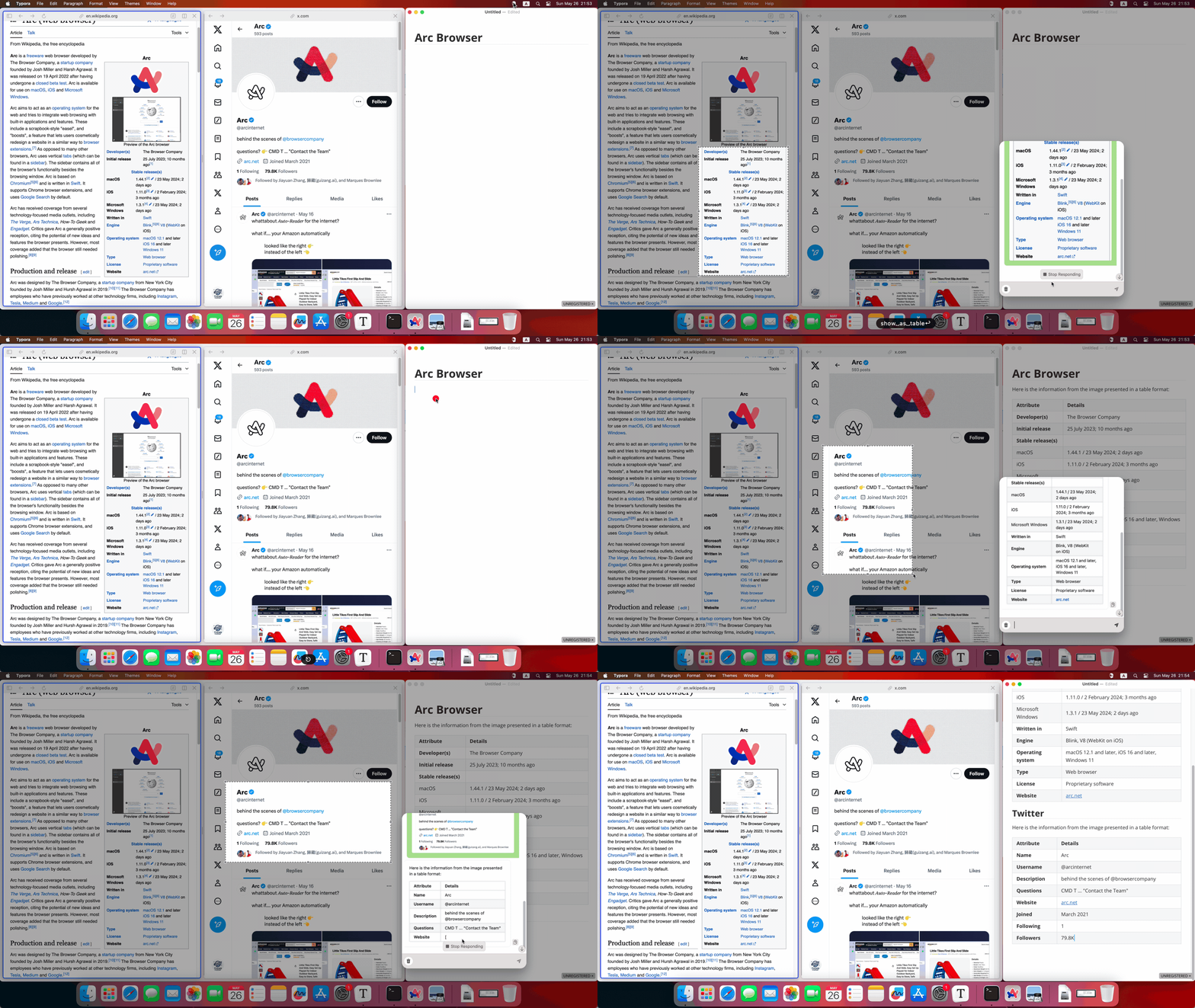
MacCopilot lets you select any area on your screen and immediately get AI insights. No more switching between apps or copying text - just capture and ask.
AI-Powered Interaction
Engage in conversations with advanced AI models like GPT-5.5, ClaudeAI, Google Gemini directly about your screen content. Gain insights, get detailed explanations, and spark creative ideas by interacting with the AI.
Visual based interaction
Seamlessly interact with AI models like GPT-5.5 about your screen content.
Flexible Screenshot Captures
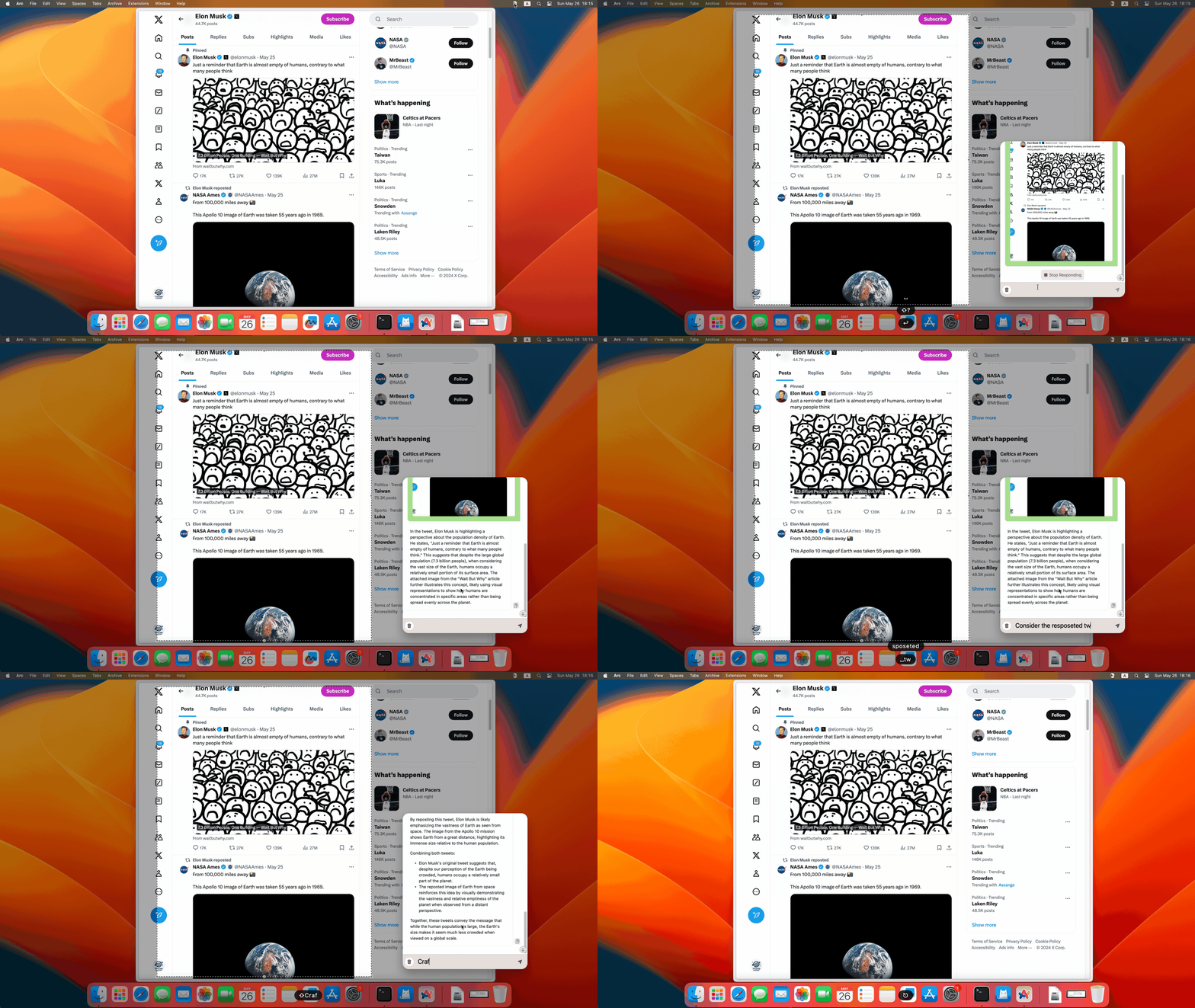
Easily select and capture any part of your screen with the flexibility of built-in screenshot tools. Additionally, you can resize the selected area and use the last selected region for quick captures.
Flexible screenshot selection
Easily select and capture any part of your screen with the flexibility of built-in screenshot tools.
Seamless Multi-Platform Support
Effortlessly connect to various AI models. Choose the model that best suits your needs.
OpenAI
GPT-4o series, GPT-4.1 series, GPT 4.5 Preview, and more
Google Generative AI
Gemini 1.5 series, Gemini 2.0 series, Gemini 2.5 series, and more
ClaudeAI
Haiku 3.5, Sonet 3.5, Opus 3.5, Sonnet 3.7, and more
Local LLM Server
OpenAI API-compatible server, Azure OpenAI service, Local Ollama server
Demo showing how to boost your experience with Copilot AI using MacCopilot
Just select the region of the screen, leave analysis work to Copilot AI, and get the results right away.
Latest Articles
Insights and guides about Copilot AI, Answers AI, MacCopilot, and AI-powered productivity

Customer Reviews
It works great, just wish I didn't have to bring my own API keys.
eliel felix
16 days ago
It's a great app. I love being able to quickly capture the screenshot and then interact with AI. I wish there was a quicker way to toggle between the various models (APIs). I also wish there was a history feature so I could see past chats. I'm very happy with the app so far.
Noah Rasheta
27 days ago
Seems the best Copilot AI to me, It's really natural to chat with the screen anytime with GPT-4o
Allen W
30 days ago
More reviews on

One License. Your Choice of AI.
MacCopilot is now a simple one-time purchase. There is no Membership subscription and no bundled LLM quota, so you stay in control of the models and providers you use.
Lifetime License
Unlock MacCopilot and connect the AI services you already trust.
Buy MacCopilot- No recurring Membership plan
- No bundled model usage quota
- Use your provider account or local server
What you get
Everything needed for screen-aware AI workflows, without locking you into a hosted model subscription.
Lifetime MacCopilot access
Pay once for the native macOS app and keep using it.
Bring your own API keys
Connect OpenAI, Claude, Google Gemini, Azure OpenAI, or compatible endpoints.
Local model friendly
Use Ollama or any OpenAI-compatible local server when you want everything closer to home.
Add unlimited models
Create as many model profiles as your workflow needs.
Provider usage is billed directly by your selected AI provider. MacCopilot does not resell hosted LLM access or limit you to a daily request allowance.
Frequently Asked Questions
Find answers to common questions about MacCopilot
Still have questions? Feel free to contact us and we'll be happy to help with your MacCopilot usage!